ChatGPT Plus Android Subscription Guide: Use Domestic Credit Card, Save Money Safely
Complete guide to subscribe ChatGPT Plus on Android. Use domestic Visa/Mastercard through Google Play at original price, no virtual credit card needed, avoiding fees and security risks. With WegetCloud clean US nodes for easy subscription.
Quick Summary
For users who want to subscribe to ChatGPT Plus on Android phones, traditional methods like third-party top-up services and virtual credit cards come with high fees and security risks. This guide introduces a better solution: bind your domestic Visa/Mastercard credit card to US region Google Play, combined with WegetCloud clean US nodes, to subscribe to ChatGPT Plus at original price with no extra fees.
Why Choose Google Play Subscription?
Problems with Traditional Methods
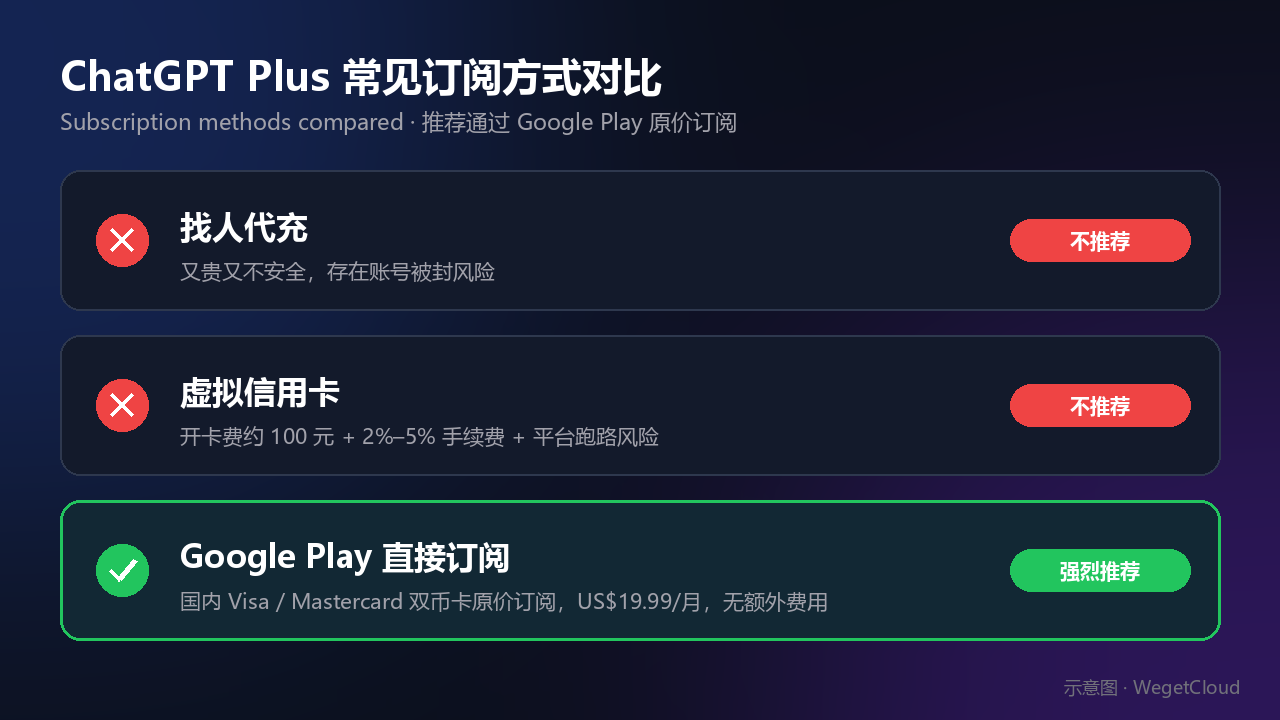
Subscription methods compared (illustration)
| Method | Issues | Recommendation |
|---|---|---|
| Third-party top-up | Expensive and unsafe, account security risks | ❌ Not recommended |
| Virtual credit card | ~$15 card fee + 2%-5% transaction fee + platform risk | ❌ Not recommended |
| Google Play subscription | Original price $19.99, no extra fees, safe and reliable | ✅ Highly recommended |
Advantages of Google Play Method
- Original price: $19.99/month with no additional fees
- Safe and reliable: Direct use of domestic credit card, no third-party platforms
- Simple operation: More direct and convenient than Apple gift card method
- Cost-saving: No card opening fees or transaction fees
Preparation Before Subscription
Three Requirements
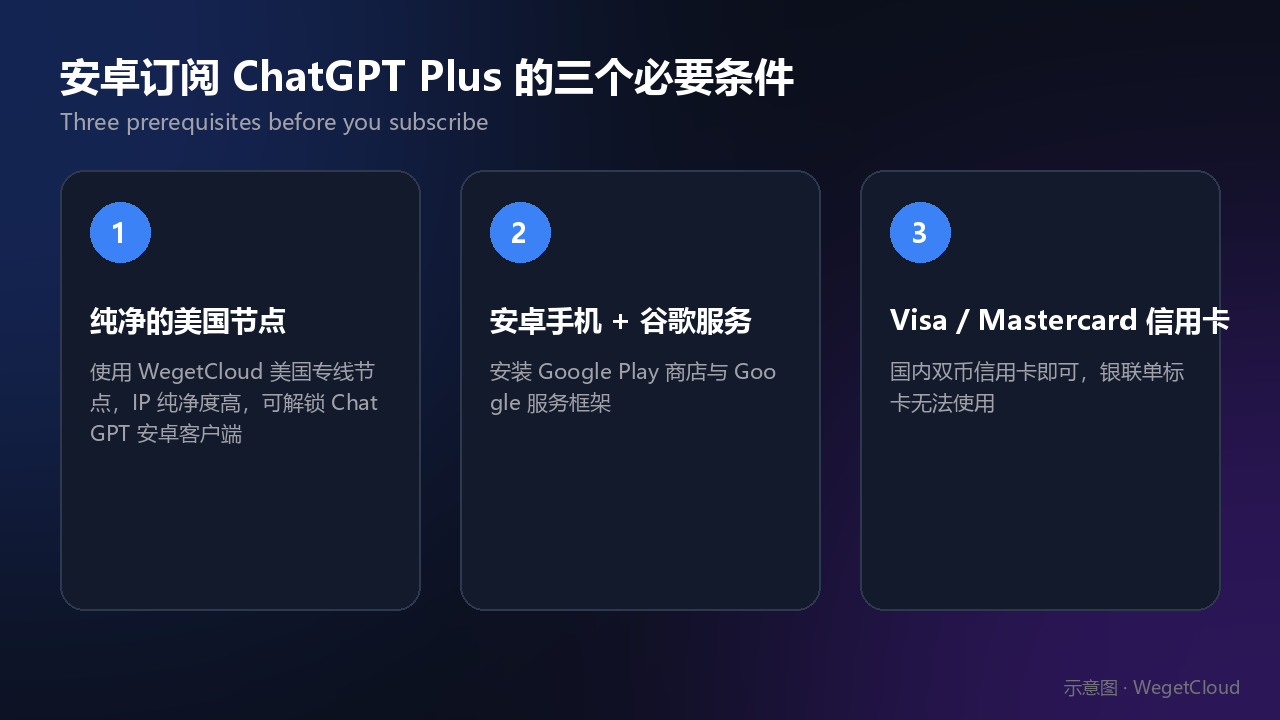 Three key prerequisites for successful subscription (illustration)
-
Clean US Acceleration Node
- Use WegetCloud premium US nodes
- High IP purity requirement, regular nodes may fail to unlock ChatGPT Android client
- WegetCloud premium nodes have high purity with guaranteed success rate
-
Android Phone + Google Services
- Install Google Play Store
- Install Google Services Framework
-
Domestic Visa/Mastercard Credit Card
- Credit card with Visa or Mastercard logo
- UnionPay cards not supported
Detailed Subscription Steps
Step 1: Set Up US Region Google Play Account
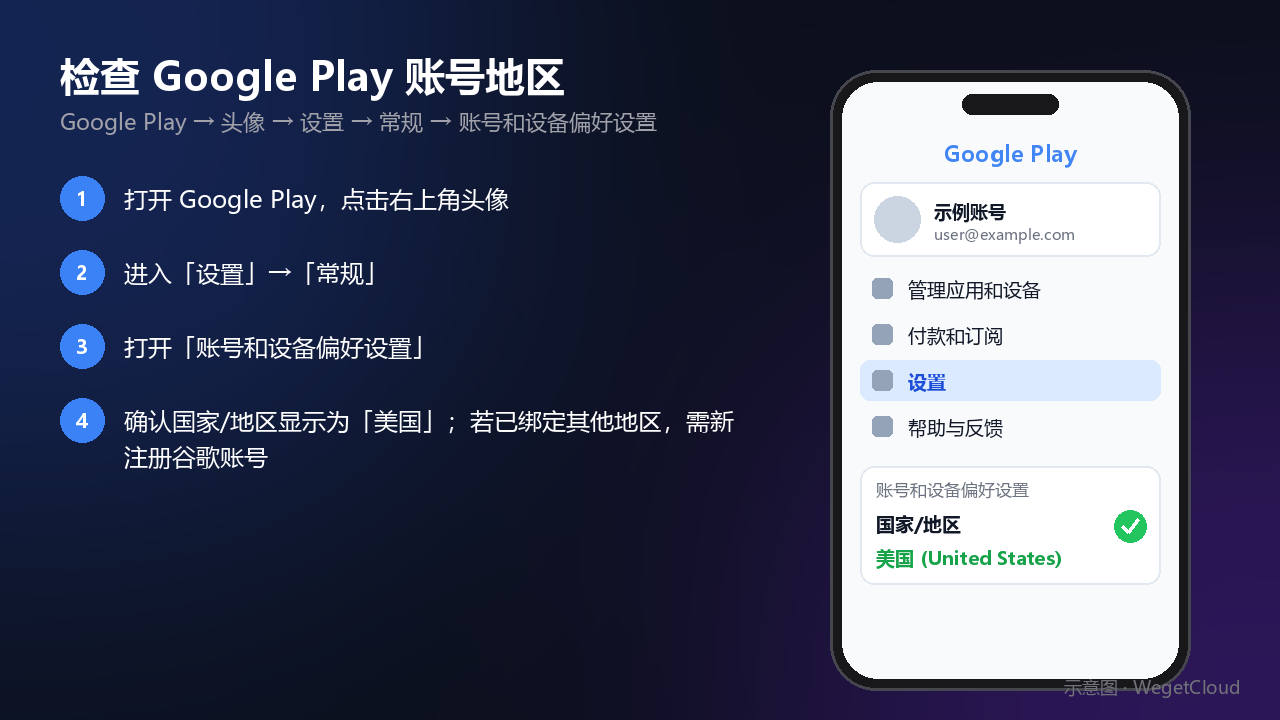 Check Google Play account region settings (illustration)
Important Notes:
- If your Google Play account is already bound to a non-US region, you need to register a new Google account
- Changing region by adding payment method usually doesn’t work
- Refer to our Google Account Registration Guide
Common registration issues:
- If stuck at phone verification, try setting browser language to English
Step 2: Add Payment Method
Add your domestic credit card in Google Play:
- Open Google Play → Tap profile → Payments & subscriptions
- Select “Add payment method”
- Enter credit card information
Billing Address Selection (Important):
- US zip code must be from one of the five tax-free states
- Tax-free states: Oregon (OR), Montana (MT), Delaware (DE), New Hampshire (NH), Alaska (AK)
- Avoid additional sales tax
Step 3: Download ChatGPT App
- Connect to WegetCloud US node
- Search “ChatGPT” in Google Play
- Download and install the official app
If payment method not updated:
- First uninstall ChatGPT from Play Store
- Ensure new Google account is logged in
- Re-download ChatGPT App
- If still having issues, remove old Google account from phone settings
Step 4: Subscribe to ChatGPT Plus
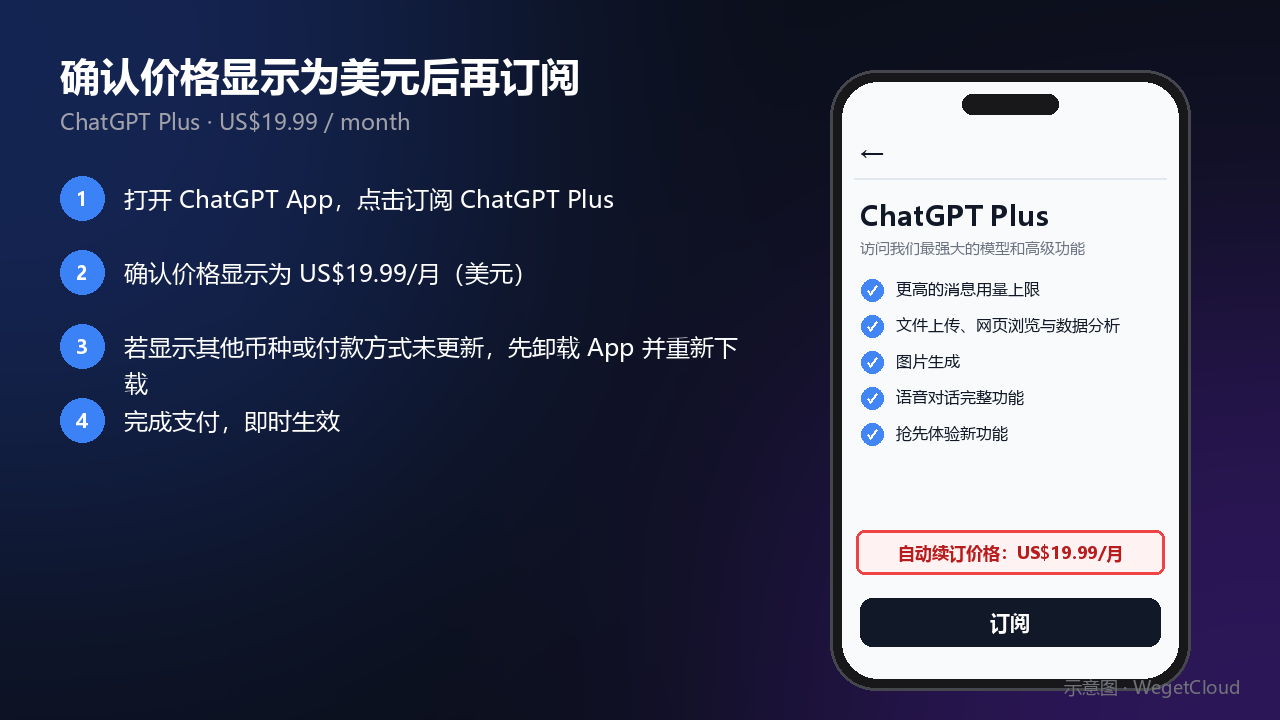 Confirm the USD price before subscribing (illustration)
- Open ChatGPT App
- Tap Subscribe to ChatGPT Plus
- Confirm price shows as $19.99
- Complete payment
Is ChatGPT Plus Worth It?
Free vs Plus Membership
| Feature | Free Version | Plus Membership |
|---|---|---|
| GPT-4o Usage | 10 messages per 5 hours | Unlimited |
| Voice Chat | Limited | Full functionality |
| Advanced Features | Partial | All unlocked |
| Response Speed | Normal | Priority response |
Voice Chat Feature Highlights
The most recommended feature of ChatGPT Plus is voice conversation:
- Real-time conversation with emotion recognition, like talking to a real person
- Excellent tool for learning spoken English
- Under $20/month, far cheaper than human tutors
- Extremely cost-effective for learners lacking English speaking environment
Target Users
Recommended For
- Android phone users: Best way for domestic users to subscribe ChatGPT Plus
- Heavy AI users: Free version limits no longer meet needs
- English learners: Voice chat is an excellent speaking practice tool
- Cost-conscious users: Original price subscription, no extra fees
Not Recommended For
- Users with foreign credit cards (can subscribe directly on official website)
- Light AI users where free version is sufficient
- Users with only UnionPay cards (this method requires Visa/Mastercard)
Conclusion
Subscribing to ChatGPT Plus through Google Play is the most cost-effective and secure method for Android users. The key is using WegetCloud clean US nodes and a US region Google Play account. The entire process is simpler and more reliable than third-party services and virtual credit cards. Just $19.99 at original price to enjoy all ChatGPT Plus features.
Further Reading
- 📖 WegetCloud Complete Configuration Guide - Detailed client setup with 4K video speed tests
- ⚡ WegetCloud In-Depth Review - Long-term user feedback, why choose WegetCloud
- 🚀 5-Minute Quick Start Guide - Essential beginner setup guide
Get Clean US Nodes for ChatGPT Plus Subscription
Ready to save money on ChatGPT Plus? You need a clean US node:
- Clean US IP: Successfully unlock ChatGPT Android client
- Original price: $19.99/month with no extra fees
- Safe and secure: No virtual credit card needed, use domestic card directly
Don’t have a Google account? Check Registration Guide